Homechevron_rightGuideschevron_rightChange the language of Bookedin
Account settings
Change the language of Bookedin
schedule1 min readupdateUpdated 13 November 2026
Change the language of Bookedin
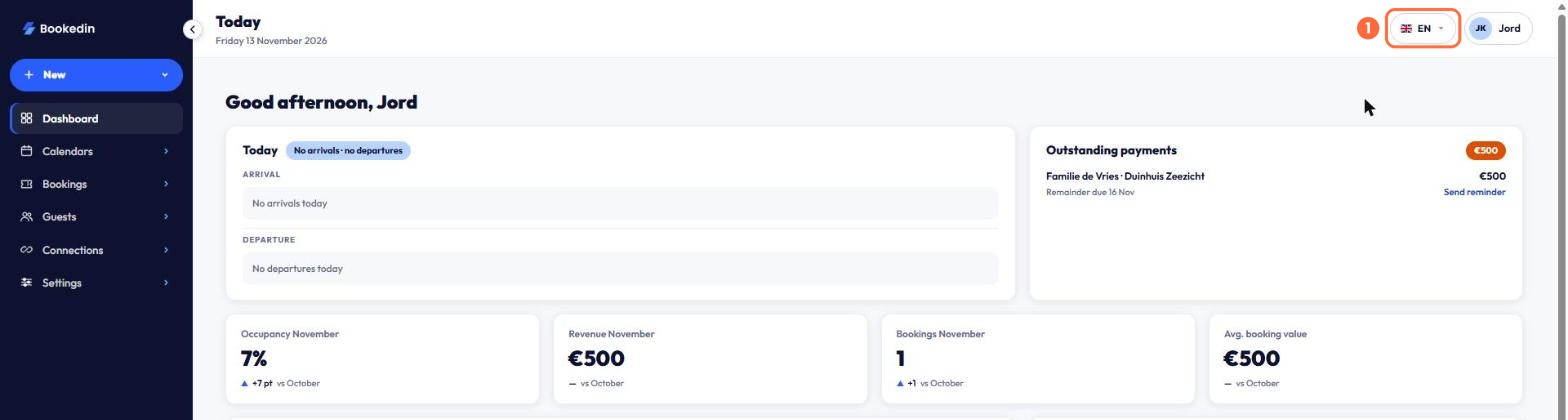
You change the language of Bookedin at the top right of the screen. Choose from Nederlands, English, Deutsch, Français and Italiano. The whole dashboard then switches to that language.
languageThe screenshots show Bookedin in Dutch. Switch the app to English with the language menu at the top right; the button names in this guide are the English ones.
What you need
checkA Bookedin account.
1
Open the language menu
At the top right, click the flag with the language code, for example NL.
1
Languages. Click the language you want to use.
2
Check the result
Menus, buttons and text now appear in the language you chose.
1
EN. The chosen language is shown at the top right.